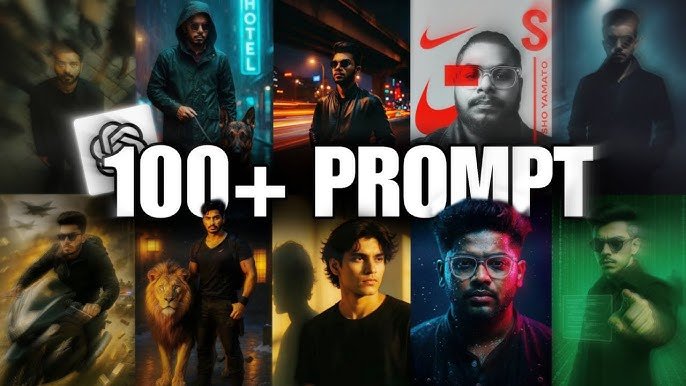
What Are ChatGPT Photo Editing Prompts?
Let’s start with the basics. A ChatGPT photo editing prompt is a detailed instruction you give to ChatGPT (or an image-generating AI tool) to describe how you want a photo to be edited or created. Think of it like giving a recipe to a robot chef—it needs just the right details to cook up the perfect dish.
Why Use ChatGPT for Photo Editing?
Because it’s fast, creative, and limitless. Whether you’re a designer, social media influencer, or a complete newbie, ChatGPT can suggest unique edits, styles, or complete prompt templates tailored to your vision.
The Power of AI in Photo Editing
The Evolution of Photo Editing Tools
Remember when editing was all about Photoshop layers and tedious brushwork? Today, AI has taken over a chunk of the workload. With just a sentence, you can transform an ordinary image into something spectacular.
Benefits of AI-Powered Editing
-
Save Time
-
Unlock Creativity
-
Eliminate the Learning Curve
-
Make Consistent Designs
Getting Started With ChatGPT for Photo Editing
What You Need Before You Start
-
A ChatGPT account
-
Access to an image generator like DALL·E or Midjourney
-
Basic knowledge of image concepts (like resolution, aspect ratio, etc.)
How ChatGPT Complements Other Tools
ChatGPT doesn’t do the editing itself—it guides you. It gives you prompt ideas that you can copy into image AI tools or editing software. Think of it as your creative director.
Basic ChatGPT Prompts for Beginners
Simple Prompts to Start With
-
“Suggest a photo editing style for a wedding photo.”
-
“Give me prompts to make a portrait look cinematic.”
-
“What should I edit to give my beach photo a sunset vibe?”
How to Ask ChatGPT for Editing Ideas
Always be specific. Instead of saying “Edit this photo,” say “Enhance the lighting and apply a warm vintage tone to a photo of a couple walking on a foggy street.”
Advanced ChatGPT Photo Editing Prompts
Prompts for Artistic Effects
-
“Create a surreal, double-exposure effect combining a cityscape and a human face.”
-
“Apply a watercolor effect to a nature photo for a dreamy vibe.”
Prompts for Photo Restoration
-
“Suggest edits to restore an old, torn black-and-white family photo.”
-
“How to remove noise and enhance sharpness in a scanned image?”
Prompts for Portrait Enhancements
-
“Retouch skin tone naturally and soften harsh shadows in a close-up shot.”
-
“Suggest AI prompts to brighten eyes and add background bokeh.”
ChatGPT Prompts for Specific Styles
Vintage and Retro Style
-
“Apply 90s grunge photo edit with faded tones and film grain.”
-
“Add a sepia filter and light leaks for a retro look.”
Cinematic and Film Look
-
“Turn a portrait into a moody, teal and orange Hollywood-style image.”
-
“Add dramatic contrast and shallow depth of field for a cinematic scene.”
Cartoon and Comic Styles
-
“Convert a selfie into a high-definition Pixar-style character.”
-
“Create a comic-book style with halftone effects and bold outlines.”
Prompts for Social Media Optimization
Instagram-Ready Photo Suggestions
-
“Edit to fit Instagram’s 4:5 ratio with vibrant color and minimal background noise.”
-
“Apply soft filters and pastel tones for a dreamy IG reel cover.”
YouTube Thumbnails and Branding
-
“Suggest thumbnail editing with bold text and a high-contrast image.”
-
“Make the subject pop using vibrant colors and shadows.”
Facebook Cover Photo Edits
-
“Design a professional Facebook cover using minimal text and branding colors.”
-
“Blend landscape and typography for an engaging cover.”
ChatGPT for Creative Projects
Designing AI-Generated Posters
-
“Create a fantasy-style poster featuring a lone warrior in a misty forest.”
-
“Design a vintage concert poster with retro fonts and bold colors.”
Album Covers Using ChatGPT and Midjourney
-
“Generate prompt for a neon-colored synthwave music album cover.”
-
“Make a moody black-and-white rock album cover with handwritten text.”
Editing for Print and Merch
-
“Create t-shirt designs with hand-drawn illustration style.”
-
“Suggest poster edits optimized for A2 size print.”
Workflow Tips and Tricks
Combining ChatGPT with Midjourney or DALL·E
Craft prompts in ChatGPT, copy them into Midjourney or DALL·E, and fine-tune based on results.
Using Prompts to Save Time
Batch generate 10-15 prompt variations in seconds, cutting your concepting time down dramatically.
Iteration and Prompt Tweaking
Start broad, analyze output, and then refine:
-
“Add more warmth”
-
“Make background blurrier”
-
“Focus more on the eyes”
Mistakes to Avoid When Using Prompts
Overloading the Prompt
Don’t stuff everything into one sentence. Break it down.
Using Vague Instructions
Say “Add teal and orange LUT with high contrast,” not just “Make it cinematic.”
Ignoring Aspect Ratio and Resolution
Different platforms need different sizes. Always specify the output dimensions!
Tools That Work Well with ChatGPT
-
Midjourney – Great for art-style generations
-
DALL·E – Direct integration with ChatGPT
-
Photoshop (with AI Plugins) – Use ChatGPT prompts for editing guidance
-
Canva – For quick mockups and layouts
Real Examples of Effective Prompts
Before and After Prompt Case Studies
-
Original: “Fix this photo”
-
Effective: “Enhance clarity, reduce glare, add cinematic tones to a portrait of a man standing in sunlight.”
Sample Prompt Templates
-
“Make this photo look like a rainy day in Tokyo with neon lights.”
-
“Edit this mountain photo to look like a fantasy Lord of the Rings setting.”
Creating Your Own Prompt Bank
How to Document and Organize Prompts
Use Notion, Google Sheets, or even a notebook to record effective prompts and results.
Creating Niche-Based Prompt Libraries
Divide by:
-
Fashion
-
Real Estate
-
Food Photography
-
Street Style
-
Events & Weddings
Future of Photo Editing with ChatGPT
Where AI Editing is Heading
From editing to full creation, AI is taking over more of the pipeline. Soon, your entire shoot could be virtual.
How to Stay Ahead
Keep experimenting. Update your prompt strategies. Join AI communities. Stay curious.
Conclusion
Photo editing will never be the same again. With ChatGPT, you’re not just editing photos—you’re crafting visual stories, faster and smarter. Whether you’re fixing a selfie or creating a movie poster, ChatGPT prompts give you the spark to create something amazing.