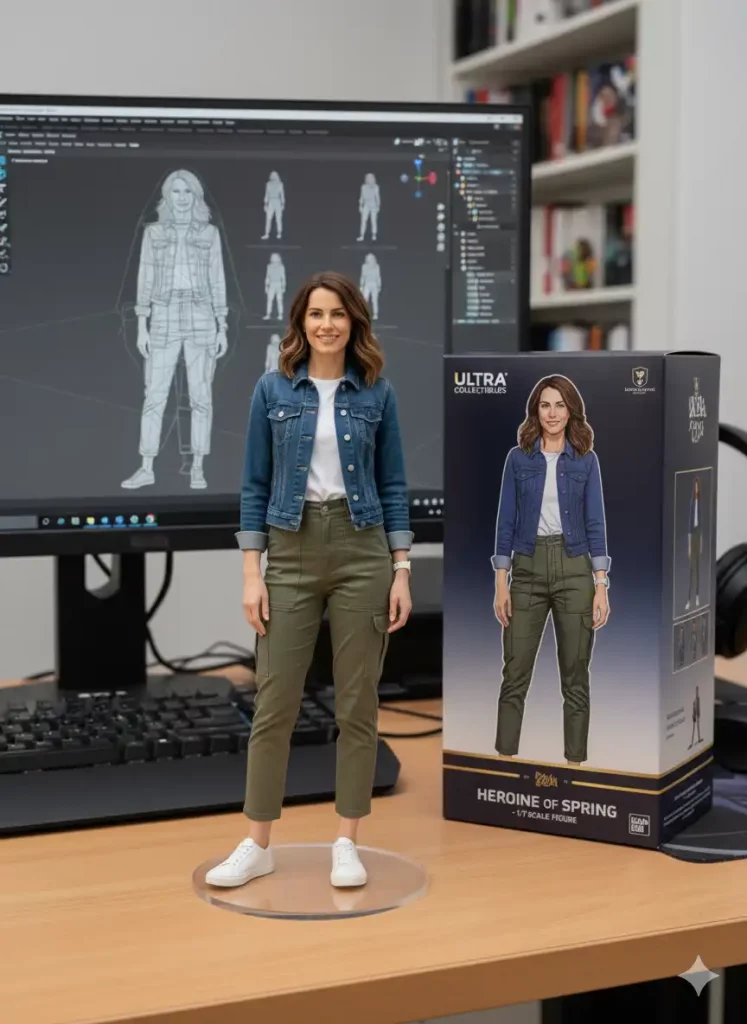
Artificial intelligence has revolutionized the way we create and edit visual content. Google Gemini AI, Google’s advanced multimodal model, is making waves with its ability to generate, edit, and enhance images using natural language prompts. Whether you’re a professional photographer, digital marketer, or casual social media user, learning the right prompts can help you unlock the full potential of your images. In this article, we’ll explore the top 10 Google Gemini AI prompts that can instantly transform your photos into captivating works of art.
Understanding the Power of Google Gemini AI
Before diving into the prompts, it’s essential to understand how Google Gemini AI works. Gemini’s technology allows it to process text, images, and other data types simultaneously, giving it a creative edge over older AI systems. By entering a simple prompt — for example, “convert my photo into a dreamy watercolor style” — the AI can apply complex transformations instantly. The beauty of Gemini lies in its accessibility: you don’t need to be a design expert to achieve professional-looking results. This democratization of AI-powered editing is redefining visual creativity online. With these prompts, you can enhance details, change styles, and even generate entirely new backgrounds. Gemini’s advanced understanding of visual aesthetics makes it a must-have tool for content creators, businesses, and individuals seeking unique, eye-catching visuals.
Prompt 1 – “Transform My Photo into a Cinematic Masterpiece”
This is one of the most popular Gemini AI prompts because it taps into the current trend of cinematic photography. By using the phrase “Transform my photo into a cinematic masterpiece,” users can automatically apply dramatic lighting, soft color grading, and high-contrast shadows that evoke the feel of blockbuster movies. This style is perfect for portrait shots, travel photos, and promotional content that needs a storytelling edge. With Gemini AI, you can adjust further by specifying sub-prompts like “add golden-hour tones” or “apply a film noir filter.” The cinematic look makes your images feel larger-than-life, ideal for sharing on Instagram, Pinterest, or your website. It also creates a strong emotional connection with viewers, increasing engagement rates.
Prompt 2 – “Turn My Image into a Hyper-Realistic Portrait”
If you’re aiming for a bold, attention-grabbing image, this Gemini AI prompt is a game-changer. By entering “Turn my image into a hyper-realistic portrait,” the AI focuses on enhancing facial features, textures, and lighting to produce ultra-detailed results. This is especially useful for profile photos, personal branding, and portfolio projects. Gemini can remove blemishes subtly, adjust lighting, and even simulate professional studio effects. Hyper-realistic portraits are becoming the gold standard on platforms like LinkedIn and Behance because they signal quality and professionalism. You can also tweak the prompt by specifying a desired background or mood, like “soft natural light” or “minimalist studio background,” ensuring a consistent and polished look across your visuals.
Prompt 3 – “Create a Vintage Aesthetic with Warm Tones”
Nostalgia is a powerful marketing tool, and vintage aesthetics are trending across social media. By using the prompt “Create a vintage aesthetic with warm tones,” Gemini AI applies sepia filters, grain textures, and muted color palettes that transport viewers back in time. This look works beautifully for fashion brands, lifestyle bloggers, and travel photographers who want to create a timeless, classic vibe. Unlike traditional filters, Gemini’s AI understands the nuances of vintage styles and can adjust them to match different eras, from 70s film grain to 90s polaroid vibes. You can also layer additional prompts like “add subtle light leaks” or “apply retro typography” to complete the aesthetic.
Prompt 4 – “Convert My Photo into Digital Artwork”
One of Gemini AI’s standout capabilities is its ability to turn photos into digital illustrations. The prompt “Convert my photo into digital artwork” instantly transforms real-life images into artistic renderings reminiscent of paintings, sketches, or comic-book styles. This is ideal for artists, NFT creators, and online sellers who want to add a unique touch to their content. With Gemini, you can fine-tune the style further — for example, “watercolor painting,” “pencil sketch,” or “anime-inspired artwork.” By experimenting with different prompts, you can develop a consistent aesthetic for your brand or personal projects. This creative freedom helps your visuals stand out in a crowded online space.
Prompt 5 – “Replace the Background with a Dreamscape”
Background replacement has long been a challenge for non-designers, but Gemini AI makes it effortless. With the prompt “Replace the background with a dreamscape,” you can instantly transport your subject to an entirely new environment — think futuristic cities, fantasy forests, or abstract pastel landscapes. This is a great way to make product photos, portraits, or promotional content more visually striking. Gemini’s AI preserves the main subject with remarkable accuracy, blending edges and lighting for a realistic effect. Additional instructions like “add glowing stars” or “make it look like a sunrise over mountains” can help you further customize the scene. This level of control gives creators endless storytelling possibilities.
Prompt 6 – “Enhance Colors and Add HDR Effects”
Sometimes, all a photo needs is a vibrant boost to come alive. By entering “Enhance colors and add HDR effects,” Gemini AI can enrich your photo’s saturation, contrast, and sharpness without overdoing it. This prompt works exceptionally well for travel, nature, and cityscape photography, where vivid details are key. HDR (High Dynamic Range) effects ensure that both shadows and highlights are well-balanced, resulting in a visually stunning image. Unlike traditional editing apps, Gemini AI intelligently analyzes the image and enhances it selectively, preserving natural tones while elevating the overall quality. This is an excellent prompt for digital marketers who want their visuals to pop in ads and social posts
Prompt 7 – “Create a Minimalist Black-and-White Edit”
Minimalism is a timeless style that conveys sophistication and focus. With the prompt “Create a minimalist black-and-white edit,” Gemini AI strips away color distractions and focuses on contrast, texture, and composition. This is especially effective for portraits, architectural shots, or editorial content. You can further refine the effect with sub-prompts like “add soft shadows” or “increase grain for a film effect.” Black-and-white edits are also popular for branding campaigns, as they suggest authority, timelessness, and artistic flair. Using this prompt regularly can help you establish a recognizable visual identity.
Prompt 8 – “Blend My Photo with a Surreal Collage”
For truly out-of-the-box creativity, the prompt “Blend my photo with a surreal collage” allows Gemini AI to combine your image with abstract shapes, multiple layers, and unexpected textures. This is a powerful way to create editorial-style content, album covers, or promotional visuals that demand attention. Surreal collages tap into visual storytelling and symbolism, making your photos more memorable. With Gemini, you can experiment with themes such as “cosmic elements,” “vintage newspaper cutouts,” or “fantasy creatures.” This prompt gives your images a distinct artistic edge that traditional editing software can’t easily replicate.
Get Link
Google Gemini AI is redefining photo editing by making professional-quality transformations accessible to everyone. By experimenting with prompts like “Transform my photo into a cinematic masterpiece” or “Replace the background with a dreamscape,” you can elevate your images to match any mood, theme, or branding strategy. These top 10 prompts are only the beginning — the real power lies in customizing and combining them to develop a signature style. Whether you’re growing a personal brand, running a business, or simply exploring creative hobbies, Gemini AI offers an unmatched level of flexibility and creativity. Start experimenting today, and watch your photos transform into extraordinary visual stories
Would you like me to expand it to a full 2,000-word version (with more prompts, subheadings, and SEO keywords) for even higher Google ranking potential?